Once indoor surveys have been completed, the next step is to evaluate how well the indoor positioning system performs. Traxmate automatically processes survey data into building models and calculates key metrics, such as median error, survey coverage, and RF coverage. This document outlines how to interpret these results and assess whether further optimization is needed.
Building Models and Median Error
A building model represents the digital map of signal conditions and reference points gathered during the survey. Traxmate uses this model to estimate device positions during real-time tracking.
The most important performance metric is median error, the distance at which 50% of positioning estimates are more accurate, and 50% are less. For example, a 3.5-meter median error means that half of all location estimates fall within 3.5 meters of the true position.

This image above shows the published building radio environment model #1892 for Mattehuset1.
- There are a total of 98 available models.
- The current model includes 179 unique Wi-Fi MAC addresses and covers 4 out of 6 floors.
- The median error for all floors is 4.33 m.
How to Access the Layer Selector in Traxmate
1. Navigate to https://online.traxmate.io/

2. Click “Places”

3. Select your building

4. Click “Edit”

5. Click “Positioning”

6. Click “Models”

7. Select the model

8. Find the dropdown layers and select layers
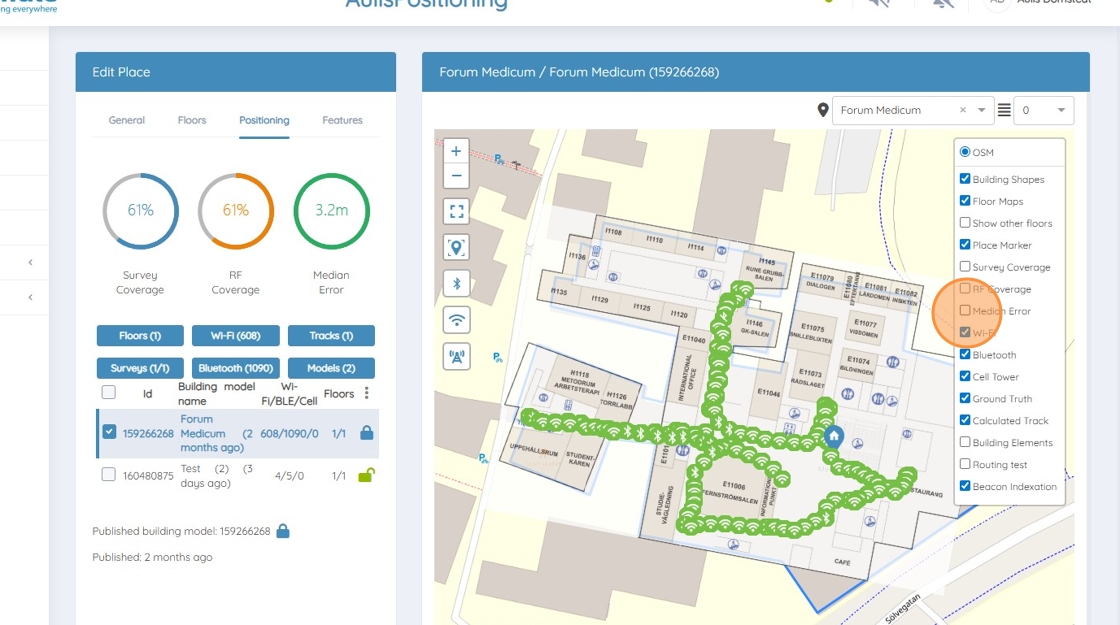
Layer Selector Explained
There are three main layers used in Traxmate: Median Error. RF Coverage and Survey Coverage.
Median Error
As explained above median error tells the user of the average error to expect when tracking devices, as exemplified in the picture below. The lighter color indicates a lower error and a darker color a larger one. In many cases, the median error can be improved. Further discussed in this guide.

RF Coverage
RF coverage tells the user where Wi-Fi signals have been found on the map. As indicated in the picture below by the orange color. If the whole area has been surveyed and some parts do not have RF coverage, it indicates that more Wi-Fi access points and Bluetooth beacons should be placed.

Survey Coverage
Survey coverage tells the user what area of the map that has been covered by the survey. It is important to make sure that the whole designated area has been covered for accurate tracking.
