
Fixed cameras create blind spots. Once an incident moves into a stairwell, a private office or an underground basement, it can move beyond the view of the installed CCTV system.
Pairing indoor tracking with Axis body-worn cameras turns the person wearing the camera into a mobile, location-aware source of video. The control room gains two pieces of context together: where the guard is and what the camera can see.
Instead of searching through wall-mounted feeds, operators can follow a guard on a floor map and open the relevant video view. Traxmate brings location data, indoor maps and video management systems such as Milestone XProtect into the same operational workflow.
Why fixed cameras need mobile visual support
Fixed CCTV systems monitor corridors, perimeters and common areas well. They cannot see through closed doors, around every corner or into every service tunnel. If a duress alarm comes from a room outside their coverage, the nearest hallway camera may show an empty passage rather than the incident.
A guard sent to investigate may also walk out of view. Radio updates then carry the burden: “I’m in the west corridor on floor three.” The dispatcher must translate that description into a location, find a nearby camera and keep following the guard as the incident moves.
Connecting body-worn video with indoor tracking helps close that information gap. The camera provides a moving view of the scene; the map keeps that view tied to a location. This supports coordination without pretending that one camera can replace a planned CCTV installation.
How indoor tracking locates the camera
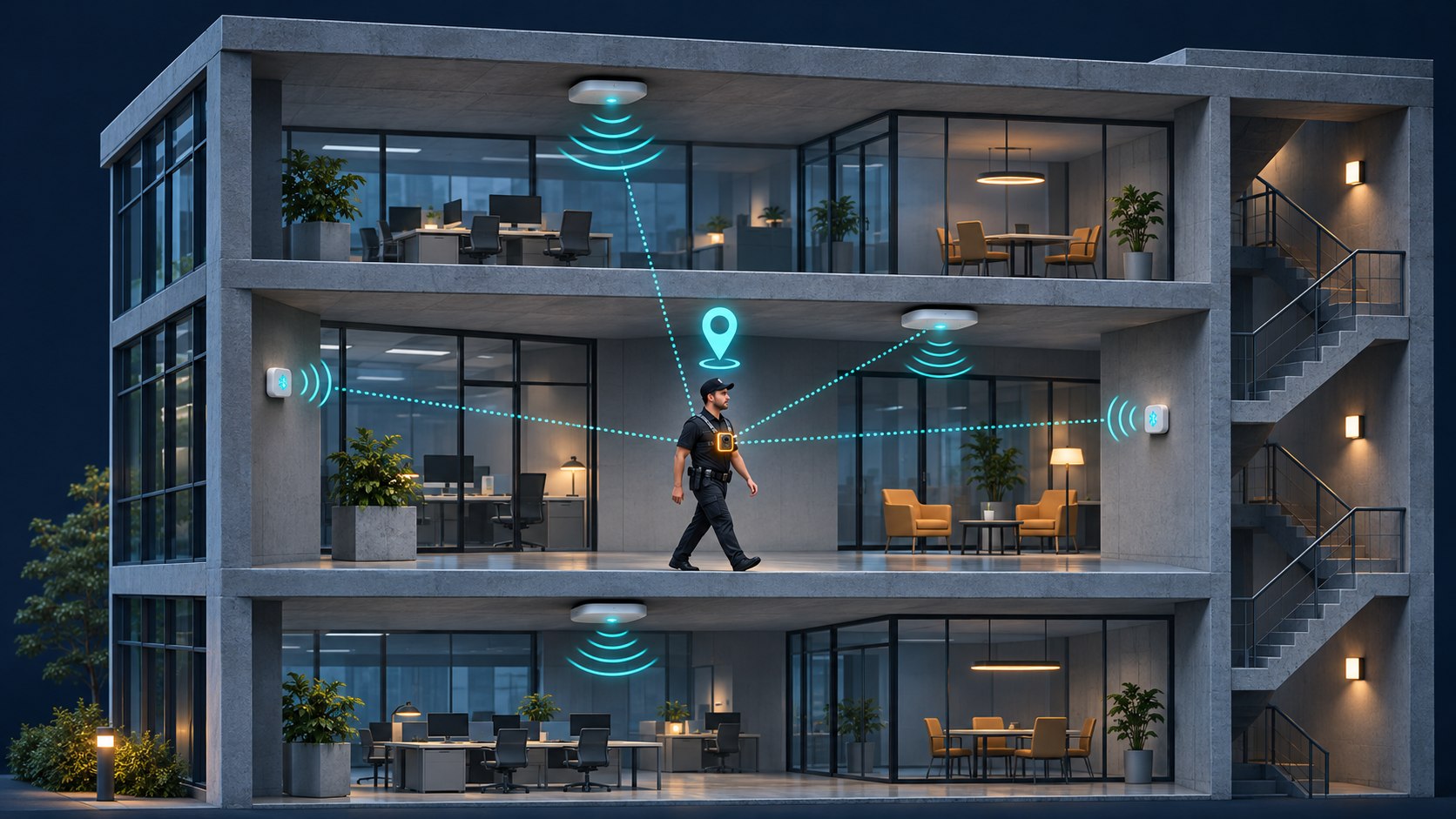
Illustration, not the real user interface
Satellite positioning often becomes unreliable inside buildings, especially behind concrete, steel and other materials that obstruct the signal. A position near a building’s footprint may not identify the room or floor where a guard needs assistance.
Traxmate’s Axis body-worn camera integration uses nearby Wi-Fi observations for indoor positioning and GNSS outdoors. Existing wireless infrastructure can provide useful positioning signals, subject to site coverage and configuration.
Wi-Fi positioning. Observations of nearby access points are processed to estimate the device’s location. This can reduce the need for additional positioning hardware where the existing radio environment is suitable.
BLE requires a separate tracker. Axis body-worn cameras do not scan BLE beacons. To use BLE positioning, guards need a separate tracking device that supports BLE scanning. Traxmate can combine that tracker’s location with the body-worn camera’s video in the operator workflow.
Floor context. A useful result must distinguish stacked spaces as well as horizontal coordinates. Traxmate can provide room and floor context where the positioning environment supports it. Validate that performance in stairwells, lifts and overlapping floor areas during the site survey rather than assuming a universal metre-level accuracy.
Body-worn cameras as live field sensors
Body-worn systems can provide more than footage collected at the end of a shift. With a supported camera and live-streaming configuration, operators can receive video and audio while an incident unfolds.
AXIS Body Worn Live supports streaming over Wi-Fi or mobile networks. Axis offers hosted and self-hosted options; the suitable architecture depends on the organisation’s requirements and its video system.
Recording and streaming are separate operational decisions. Confirm camera compatibility, network access, battery planning and the integration path before treating a live feed as continuously available. Axis’s live-streaming documentation explains activation and integration options.
Device metadata and supported events can add context to video, but capabilities vary. Two-way communication, remote activation, fall detection and emergency triggers should be checked against the selected camera, software version and configured workflow.
Bringing video and maps together in Milestone XProtect
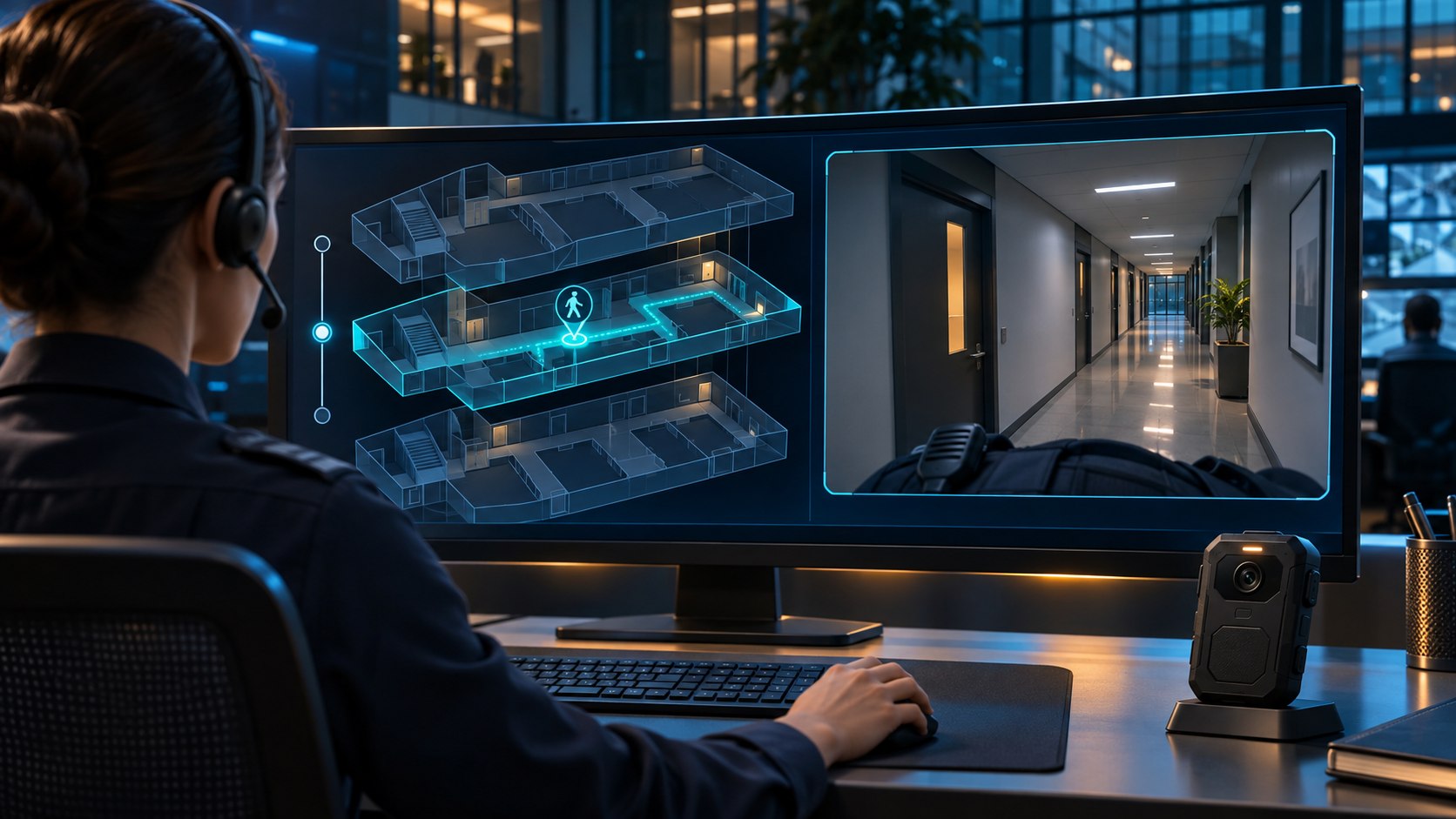
Illustration, not the real user interface
A map tells the operator where to look. Video helps them understand what is happening there. Traxmate’s Milestone XProtect integration combines location information and camera context inside the Smart Client workflow.
Map overlays. Indoor and outdoor maps give operators a common spatial view of tracked devices and relevant cameras. A moving guard marker provides context beyond the field of view of any single fixed camera.
Click&View. Operators can open relevant live camera views from the map rather than searching an unstructured list of feeds. Viewing a guard’s body-worn stream requires the corresponding camera and live-video integration to be configured.
Location-aware actions. Configured alarms and rules can bring relevant camera views and event details to the operator’s attention. Confirm the available automation, camera selection and any PTZ behaviour during commissioning.
The result is a connected workflow: locate the guard, open the relevant view and coordinate a response with a shared understanding of the scene.
3D indoor maps for multi-level buildings
Flat floor plans remain useful, but a single flattened view can be difficult to interpret in a hospital, airport terminal or campus with mezzanines, basements and connecting tunnels.
Traxmate’s live maps provide a spatial setting for tracked positions. A multi-level view helps operators distinguish a guard in a basement utility corridor from someone directly above on the ground floor.
Floor selection and an appropriate viewing angle help operators focus on the affected area. The map is most useful when floor plans, device identities and positioning data are maintained together.
Movement trails add another layer of context. Teams can review paths and patrol coverage, then relate those records to video timestamps during an investigation. The exact playback workflow depends on the configured VMS integration.
Location-based safety rules and triggers
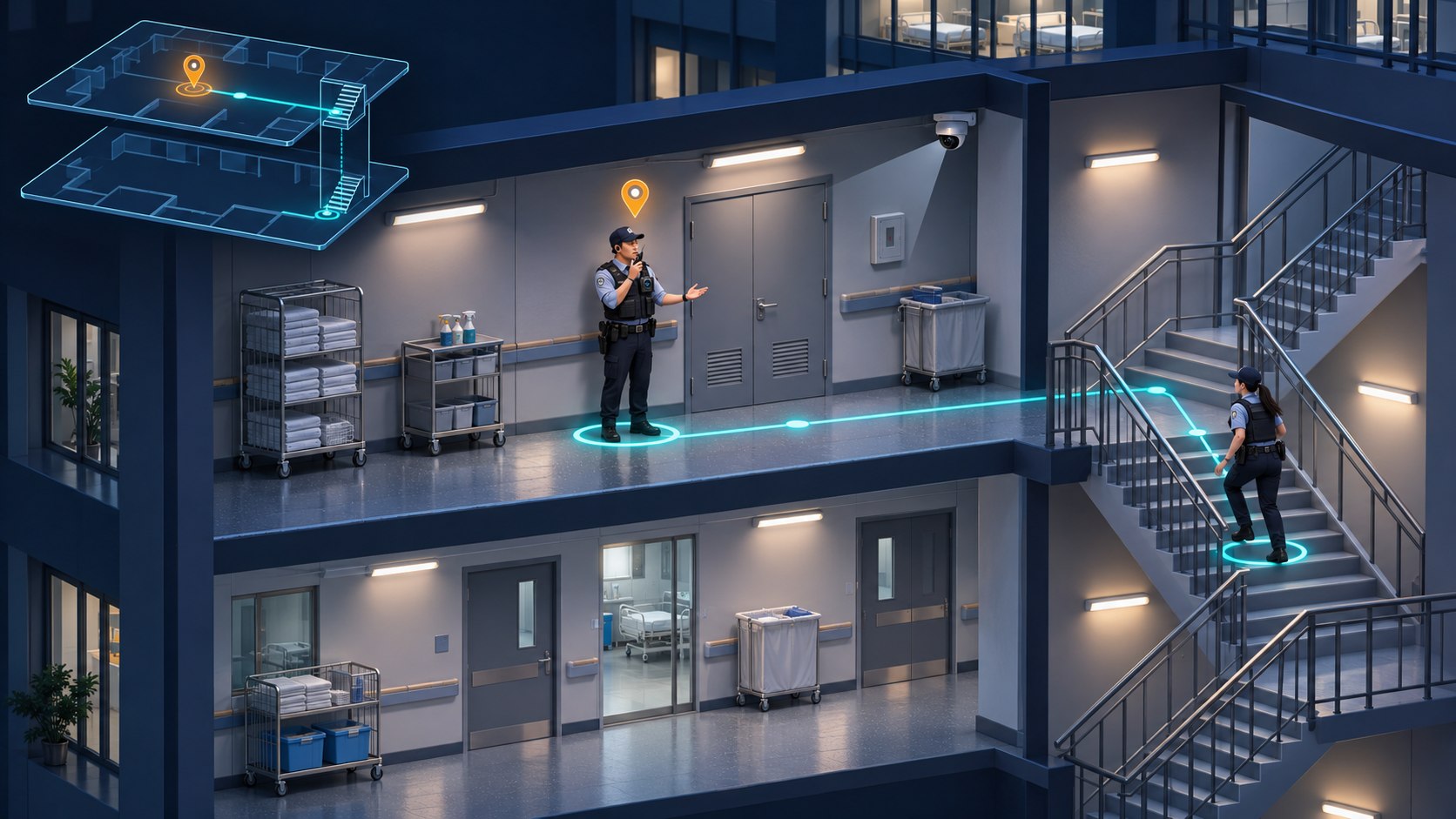
Illustration, not the real user interface
Tracking personnel allows a security team to define response workflows around location. The purpose is to give operators actionable context when an event occurs.
Panic or duress events. A supported emergency trigger can be associated with the affected device and its latest position. Configured actions may highlight the event on the map, notify dispatch and open relevant video. The trigger and downstream actions must be tested together.
Geofencing. Virtual boundaries can mark restricted areas, safe zones or spaces that require special handling. Geofence rules can notify operators when tracked devices enter or leave a configured zone.
Inactivity and fall-related events. Supported devices can provide events that help identify a possible need for assistance. Thresholds and available sensors vary; inactivity timers should reflect the task and the site’s procedures.
Video can help an operator interpret an alert, but a feed alone does not establish a person’s medical condition. Response procedures should specify how to verify an incident, contact the wearer and dispatch assistance.
Setting up integrated tracking and video
1. Survey coverage and positioning. Walk the site, check Wi-Fi and mobile connectivity, and test challenging spaces such as stairwells, basements and lift lobbies. Confirm whether existing access points are sufficient or additional infrastructure is needed.
2. Configure supported cameras. Set up the Axis body-worn system, camera profiles and the required live-streaming service. Enable the supported positioning functions and test their data path to Traxmate. Use the Traxmate setup guide for Axis cameras alongside current Axis documentation.
3. Prepare the maps. Establish the building and floor structure, align the floor plans and check that positions appear in the correct spaces. Confirm supported source formats with Traxmate before planning a floor-plan import.
4. Connect the operator workflow. Install and configure the Traxmate integration for the relevant XProtect environment. Associate device and camera identities, set up the required views and test alarms, live video and location together.
Commission the system with representative patrols, not just a desk demonstration. Check transitions between floors, network gaps, stale position indicators, alarm routing and access permissions before operational use.
Where mobile video and indoor tracking help
Hospital security. Dispatch can use location context to identify a nearby guard and coordinate attendance at a ward or emergency department. Body-worn video can add visual context when streaming and recording are permitted.
Industrial facilities. Teams moving between outdoor yards and indoor service areas benefit from a shared map. Coverage and device suitability must be planned for the actual environment, including any hazardous-area requirements.
Campus patrols. Security teams can review routes across buildings, laboratories and public spaces. Combining movement records with video timestamps can support incident review and patrol accountability.
In each setting, the practical benefit depends on reliable coverage, an accurate map and a response workflow that operators have practised.
Keep location and visual context together
Fixed cameras show what happens within their view. A guard’s body-worn camera follows the person into spaces those cameras cannot cover. Indoor tracking connects that moving viewpoint to a place the control room can understand.
For a security team, the goal is straightforward: know where to look, see the available evidence and coordinate the next action from a common operational view.