
The business case for location-enabled access control
Your access control system protects your building perimeter. It approves badges, locks turnstiles, and logs every entry event across your doors.
What happens after an authorized worker steps into the hallway?
A badge scan at 08:14 tells your control room that an engineer entered Building 4. At 08:35, that engineer suffers an injury or faces a violent confrontation 50 meters down a side corridor. Your access control screen still lists them as present at the main door.
Access control systems record identity checkpoints. They answer who passed through a specific door and when. They cannot track where a person moves once the latch clicks shut.
Traxmate pairs your existing access hardware with continuous indoor tracking and 2D/3D digital twins. By linking door events, live personnel badges, and video management feeds on a single operational map, security teams cut response times from minutes to seconds.
The Need
Closing the blind spot between the doors
Illustration, not the real user interface
The operational blind spot between the doors
Modern enterprise facilities run on electronic access control. Facilities managers spend significant budgets outfitting interior and exterior doorways with smart locks, RFID readers, and electrified strikes from manufacturers like Salto, Nedap, LenelS2, and ASSA ABLOY.
These systems do what they were built to do. They keep unauthorized people out of restricted zones.
The problem begins when someone inside needs urgent help.
In hospitals, industrial manufacturing plants, psychiatric units, and corporate campuses, emergencies rarely take place directly in front of a badge reader. Incidents happen inside patient rooms, back storage corridors, remote plant mezzanines, and stairwells.
When an incident breaks out, the access control system shows its technical boundary:
- It tracks doors, not people. A badge scan is an isolated event, not a continuous location trace.
- It assumes presence equals check-in location. If an employee scanned into the ground-floor lobby 30 minutes ago, standard access directories assume they are still there.
- It locks down spaces blind to room occupancy. An automated perimeter or corridor lockdown can trap innocent staff members in danger zones without dispatcher awareness.
Security officers cannot run an effective emergency response based on stale badge timestamps. They need live spatial awareness across the entire site.
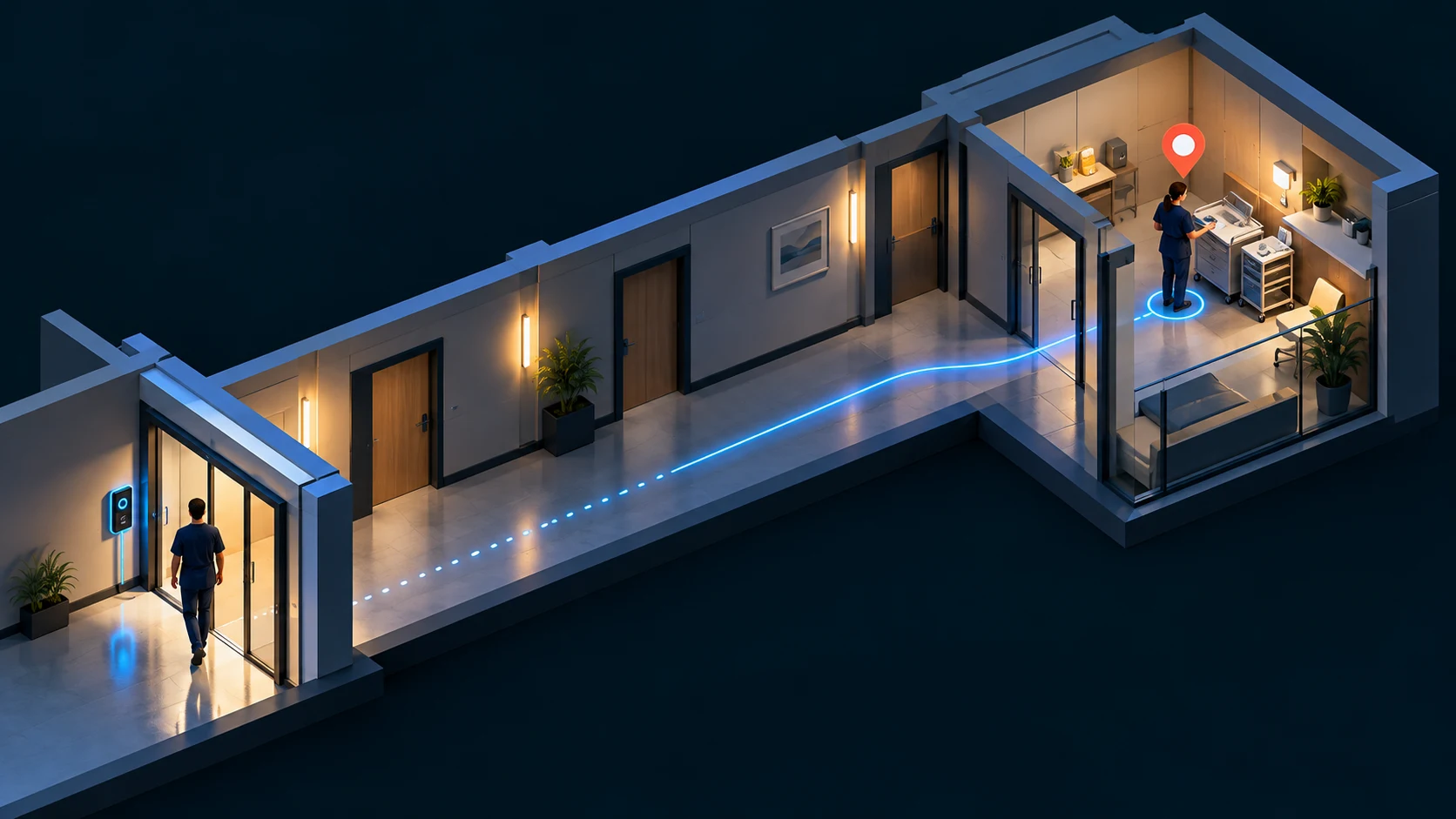
Illustration, not the real user interface
The direct cost of fragmented response systems
In a physical security dispatch center, every emergency requires answers to five questions:
- Who needs help?
- Where are they located right now?
- What is the status of the doors leading to them?
- Which surveillance camera provides a clear view of the scene?
- Who is the closest trained responder available to intervene?
Without an RTLS positioning engine, those five answers live in five disconnected places.
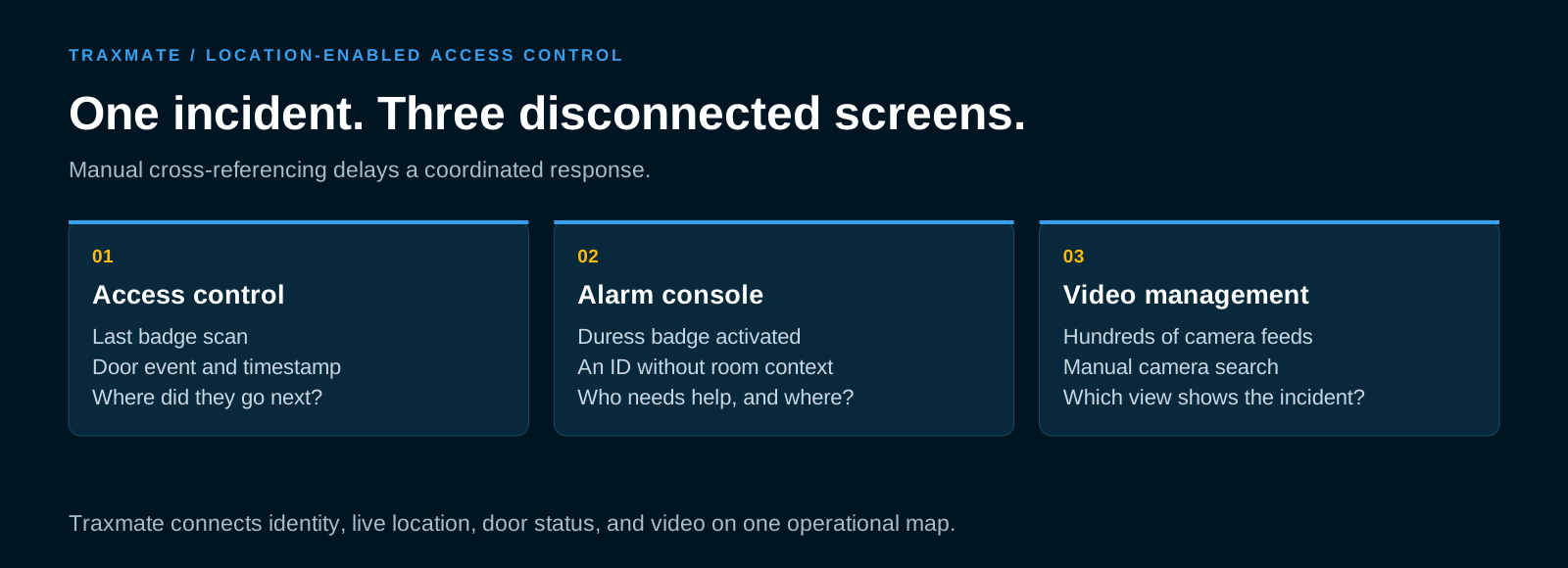
The dispatcher receives an alarm signal from a panic button or a duress fob. The alert appears on an alarm panel as an ID number.
The dispatcher switches to the access control monitor to see which door that ID last used. They find a timestamp from 15 minutes earlier.
Next, they open the video management system (VMS). The facility has 500 fixed cameras. The dispatcher reads building schematics on paper or checks a static PDF floor plan, tries to guess which camera covers the corridor near that door, and manually types camera names into the VMS search bar.
Finally, the dispatcher calls security guards over a two-way radio. The instructions are vague: “Check the third floor, east wing, near room 310”.
By the time guards walk through the floor, the situation has escalated.
This operational delay produces measurable consequences:
- Escalated workplace violence injuries: Frontline staff members injured during delayed responses file workers’ compensation claims and take extended medical leave. In healthcare and corrections, a single serious assault costs an organization an average of $9,592 in direct medical and legal expenses alone.
- Overtime and operational downtime: A prolonged safety search halts plant operations, locks down wards, and pulls staff away from patient care or assembly lines.
- High staff turnover: When nurses, guards, or field technicians feel that their distress calls go unanswered because the control room cannot find them, morale drops and turnover climbs.
- Compliance penalties: Regulators require verified audit trails and rapid response protocols for lone workers and hazardous site operations. Fragmented systems produce broken audit records that fail compliance inspections.
The Solution
Location intelligence alongside your access control
Illustration, not the real user interface
How Traxmate complements access control
Traxmate adds real-time positioning and spatial intelligence to the access control infrastructure you already own.
Rather than replacing your access software, Traxmate acts as the spatial positioning engine alongside it. Your access platform handles permissions, identities, and lock credentials. Traxmate calculates continuous coordinates, manages 2D and 3D digital twins, tracks floor transitions, and routes location alarms directly to operators.
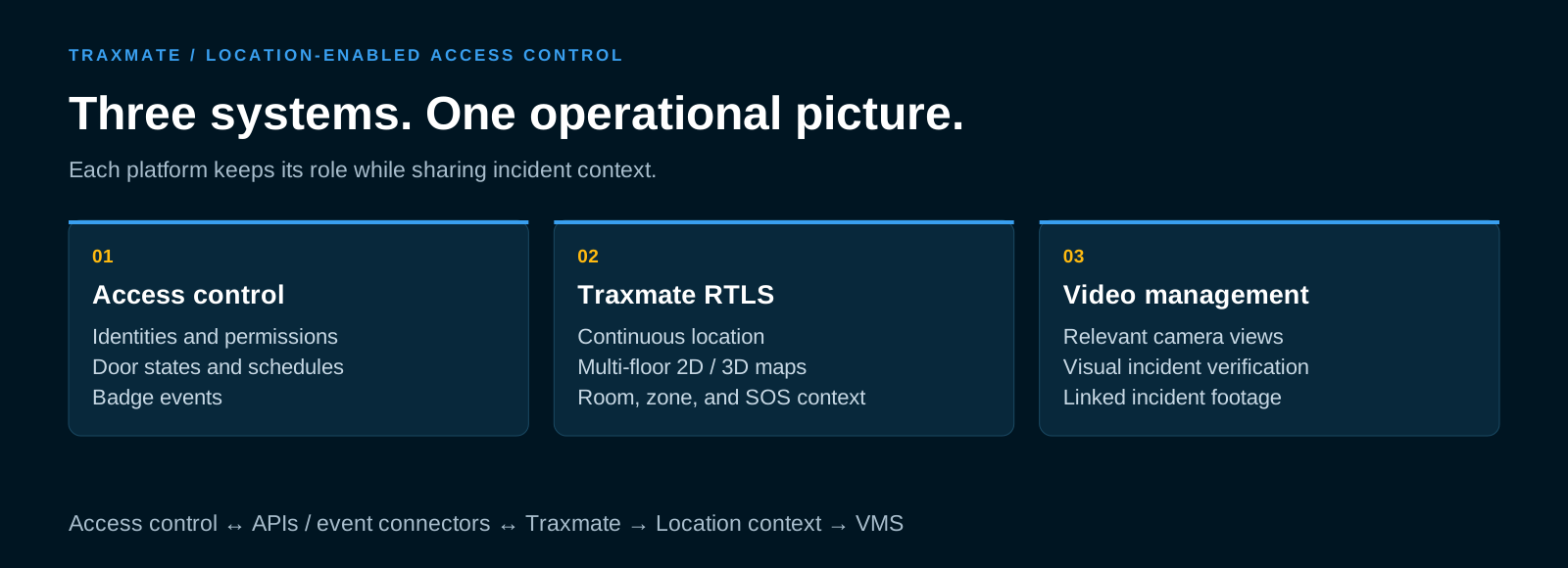
The system merges three critical security elements into one operational picture:
- Identity and door states: Traxmate pulls real-time lock conditions, access approvals, and door alarms from your access platform. Dispatchers see whether a door is locked, propped open, or offline directly on the map.
- Continuous staff and asset tracking: Traxmate processes signals from active badges, worker tags, and equipment beacons. The platform places badges on the floor plan with room-level accuracy, tracking motion across zones without requiring physical check-ins.
- Automated visual context: By passing coordinate and zone data directly into your VMS, Traxmate links cameras to real-time positions. When an incident occurs, the right camera feed opens automatically.
Dispatchers stop guessing. They monitor one live screen that shows where the worker is, which doors are in their way, and what the closest camera sees.
How It Works
From an alarm to a coordinated response
The 5-step operational incident workflow
When an emergency happens, the combination of Traxmate, your access system, and your video platform automates incident handling across five distinct stages:
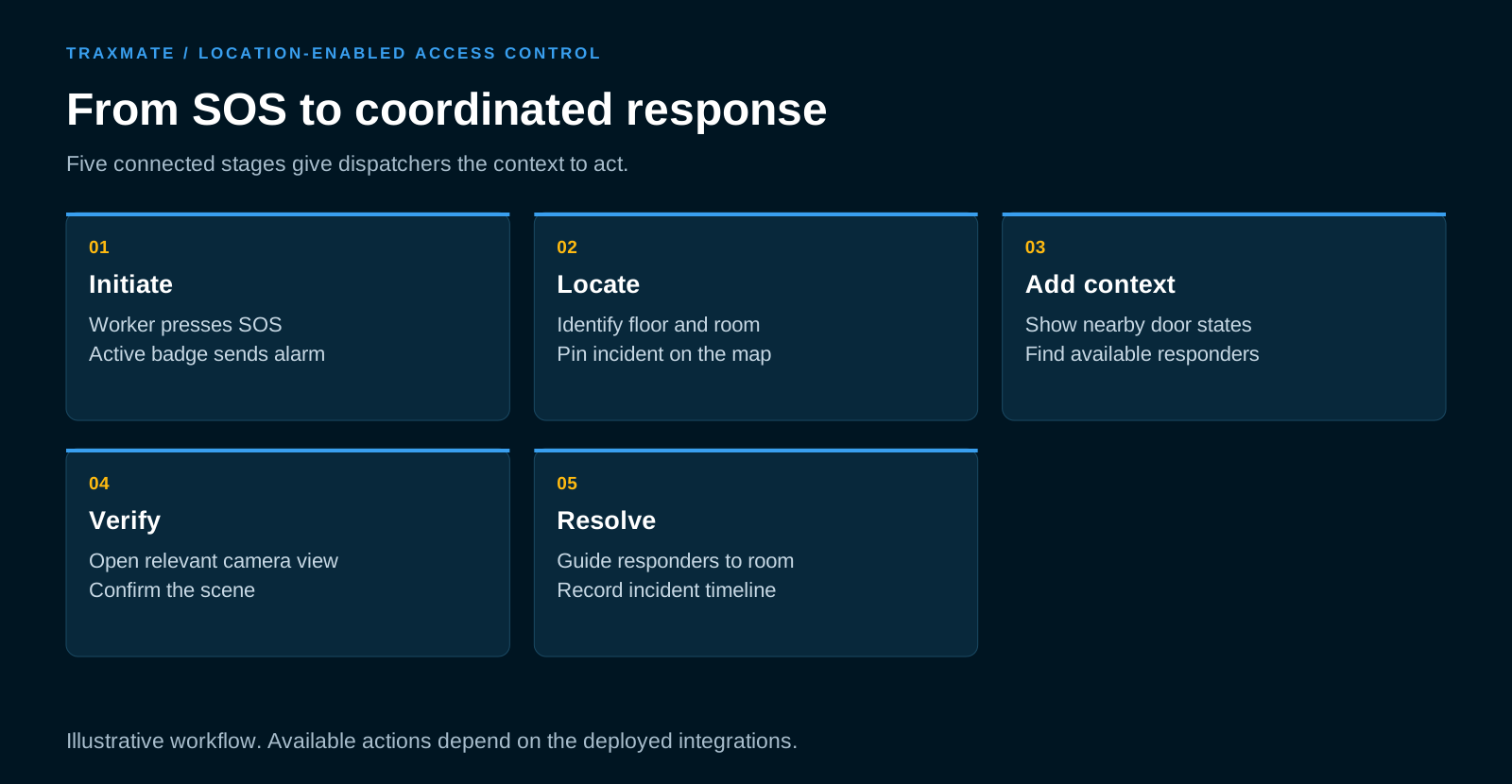
1. Alarm initiation
A technician working alone in an electrical vault or a nurse in an isolated emergency department triage room faces a sudden crisis. They press the panic button on their active badge. The badge transmits an encrypted distress packet via local wireless gateways.
2. Localization
Traxmate ingests the raw signal telemetry, runs positioning calculations, and identifies the badge’s precise floor, zone, and room coordinates. Within 1 to 2 seconds of button press, the software places a pulsing alarm marker onto the 3D building map. The system flags the employee’s name, ID number, and precise coordinates.
3. Contextualization
The Traxmate interface queries the connected access control platform. The map updates to show the physical status of surrounding doors:
- Is the main corridor fire door closed?
- Is the room door locked with an electronic bolt?
- Which nearby team members are within a 30-second walk?
Dispatchers view both the victim’s position and the real-time locations of surrounding security personnel.
4. Visual verification
Traxmate sends the zone trigger to the VMS (such as Milestone XProtect). The video system reads the camera mapping contract and immediately displays the live feed from the camera pointing at that corridor.
The dispatcher sees the threat on screen before responders reach the hallway. They confirm whether the worker is facing an armed individual, an equipment fire, or a medical collapse.
5. Resolution and reporting
Using the map, the dispatcher routes the closest responders through open access corridors, avoiding locked security zones or hazardous passages.
Once the incident concludes, Traxmate and the access platform store a unified timeline: the exact time of the SOS trigger, the path the worker walked, door status during the event, and linked video clips. Security teams download clean compliance documentation in minutes.
Integrating with the market's leading access control systems
Traxmate does not depend on a single proprietary hardware vendor. The system connects with established enterprise access control platforms using open APIs, software development kits (SDKs), and event webhooks.
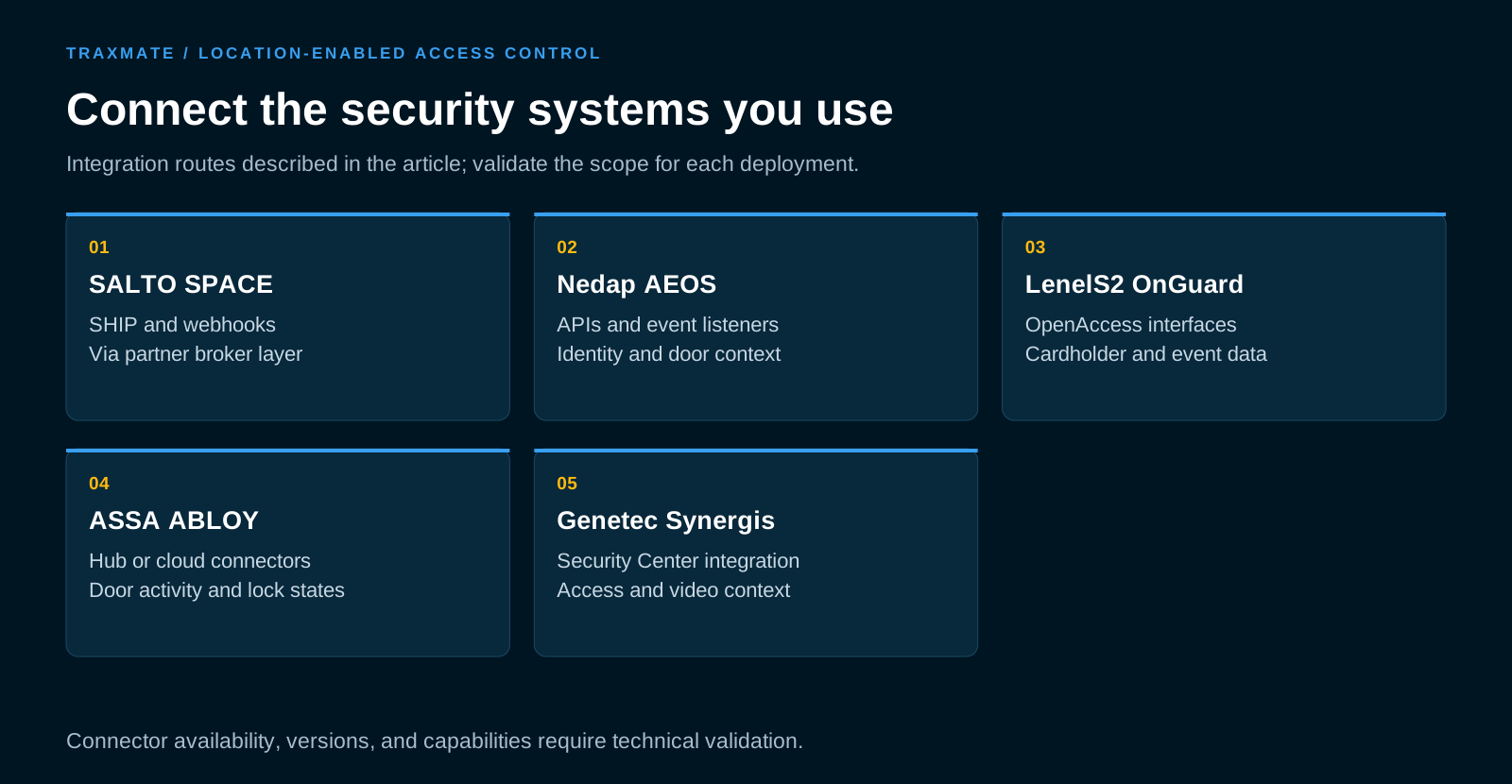
Salto (SALTO SPACE)
Salto is a global standard in wire-free smart lock infrastructure. Through our collaboration with integration partners like Radinium, Traxmate links directly into SALTO SPACE deployments.
The Radinium integration layer uses Salto’s SHIP protocol and event webhooks to pass door events directly into the positioning pipeline.
When a user swipes a smart credential, Traxmate correlates that door event with active badge positioning. If a lock goes offline or reports low battery, Traxmate updates the door icon on the digital map to indicate stale data, preventing operators from relying on outdated lock telemetry during an evacuation.
Nedap AEOS
Nedap AEOS uses an open architecture built around software-defined controllers. Traxmate connects to AEOS through direct REST APIs and subscription-based event listeners.
The integration mirrors user identities, badge assignments, and door states into the Traxmate environment. Security teams can establish automated geofencing rules: if a contractor badge assigned in AEOS enters an unauthorized zone on the Traxmate floor map, the system flags a boundary violation instantly.
LenelS2 OnGuard
For massive enterprise sites running LenelS2 OnGuard, Traxmate interfaces through the LenelS2 OpenAccess API interface.
This connection links physical cardholder directories to active RTLS tags. When OnGuard logs an access denial or door forced open alert, Traxmate flags the physical door location on the interactive 3D map, queries surrounding RTLS trackers, and identifies who is standing near that door.
ASSA ABLOY
Facilities using ASSA ABLOY Aperio wireless locks or Accentra management software link door activity into Traxmate via IP hub bridges and cloud connectors. Traxmate ingests lock status updates, allowing operators to visualize lock states across expansive campuses on a single pane of glass.
Unifying video management: Milestone XProtect and Genetec
A location map tells dispatchers where to look. Video confirms what is happening.
Traxmate bridges the gap between access control and enterprise Video Management Systems (VMS). The primary integration runs through certified plugins for Milestone XProtect (using the Milestone MIP SDK) and Genetec Security Center.
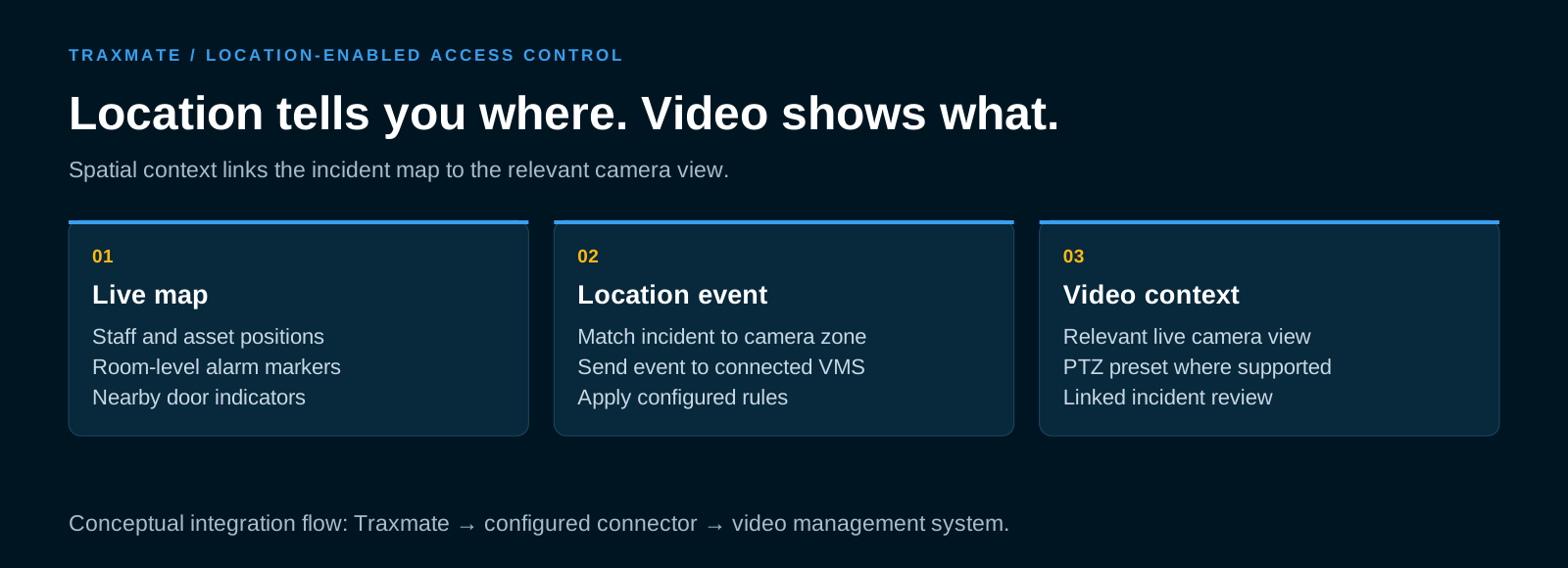
Instead of requiring operators to run Traxmate in an external web browser and the VMS in a separate workstation client, the Traxmate digital twin embeds directly inside the Milestone Smart Client or Genetec Security Desk.
When an incident triggers:
- Automatic camera positioning: Traxmate matches the real-time coordinates of the alarmed badge to the spatial field of view of installed cameras.
- Contextual popups: The operator’s main view automatically switches to the relevant live camera stream.
- PTZ tracking presets: For pan-tilt-zoom cameras, the integration passes spatial target coordinates, steering the camera toward the incident zone automatically.
- Post-event video indexing: Video recorded during the event is bookmarked with the exact RTLS user ID, door events, and alarm timestamps, cutting post-incident forensic reviews from hours to minutes.
The Impact
Faster intervention, clearer operational decisions
Illustration, not the real user interface
Measurable business outcomes: the return on investment
Upgrading access control with real-time location delivers clear financial and operational returns across your organization.
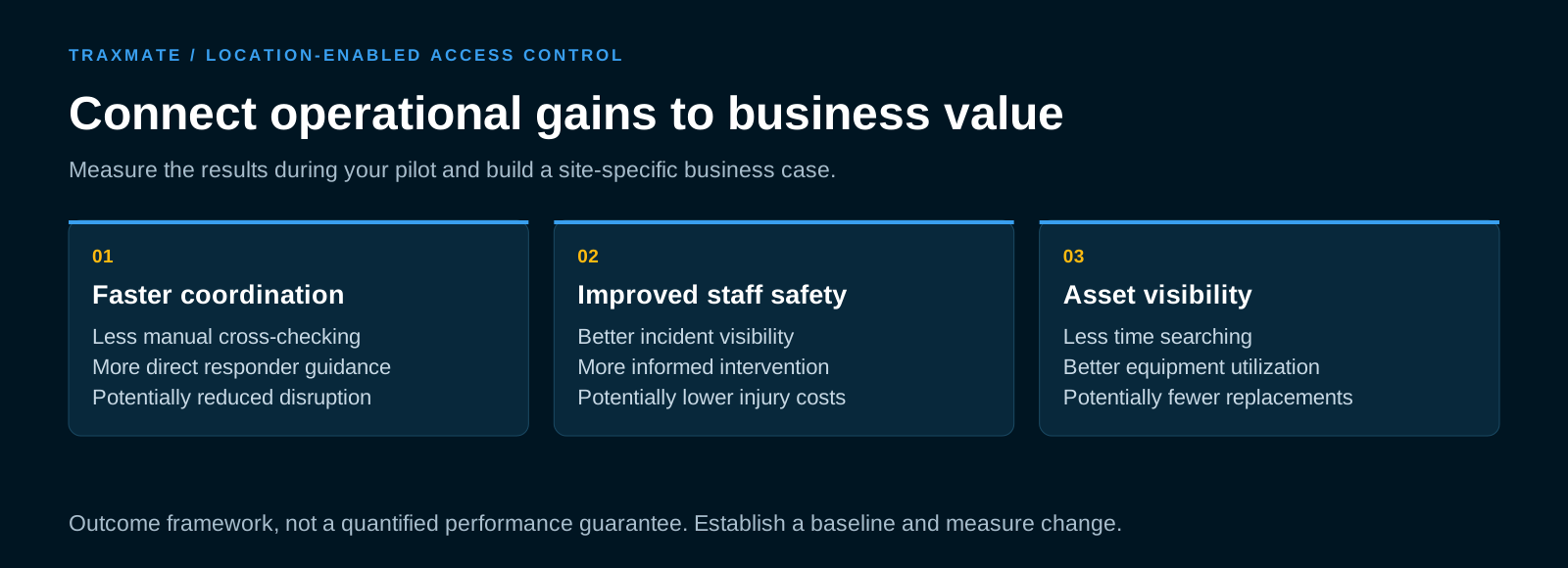
Slashing emergency response times
In physical security, speed prevents injury. Eliminating the manual step of cross-referencing door logs and searching camera lists cuts incident intervention times by up to 70%. Responders arrive at the scene while an incident is small, preventing serious violence or damage.
Real-world applications across high-risk sectors
Protecting staff across high-risk environments
Adding real-time location to access credentials solves distinct operational challenges across different facilities.
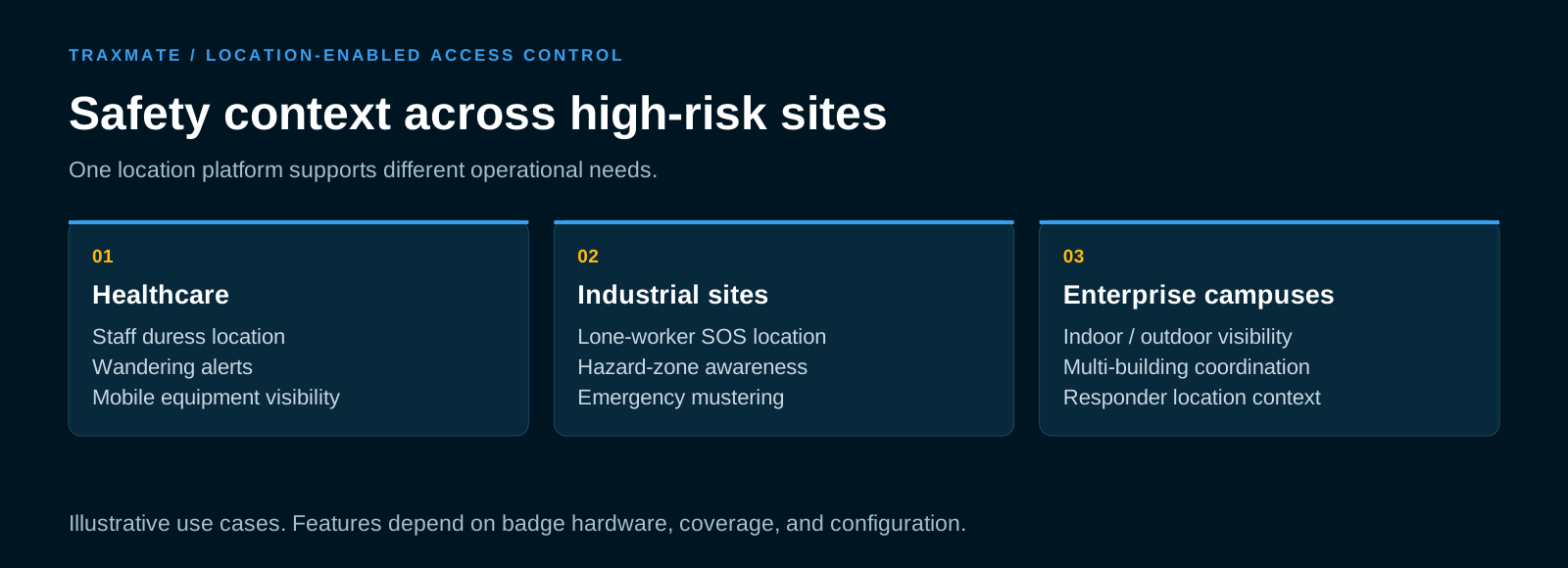
Healthcare facilities and psychiatric clinics
Hospitals represent one of the most volatile physical environments for staff. Clinical personnel frequently interact with distressed patients in high-stress settings.
Traditional wall-mounted panic buttons offer limited protection. If a physical confrontation happens in the center of an exam room or down a medication corridor, a nurse cannot reach a wall button.
With Traxmate linked to smart access credentials, healthcare workers carry silent panic buttons on their wearable badges.
When pressed, the alert displays the nurse’s exact room location on the nursing station map, flags whether the corridor door is locked, and opens the hallway camera feed. Response teams arrive at the right door without shouting room numbers over overhead intercoms.
Between emergency events, the same positioning backbone tracks mobile diagnostic equipment, crash carts, and specialty beds, saving hours of manual hunting during shift changes.
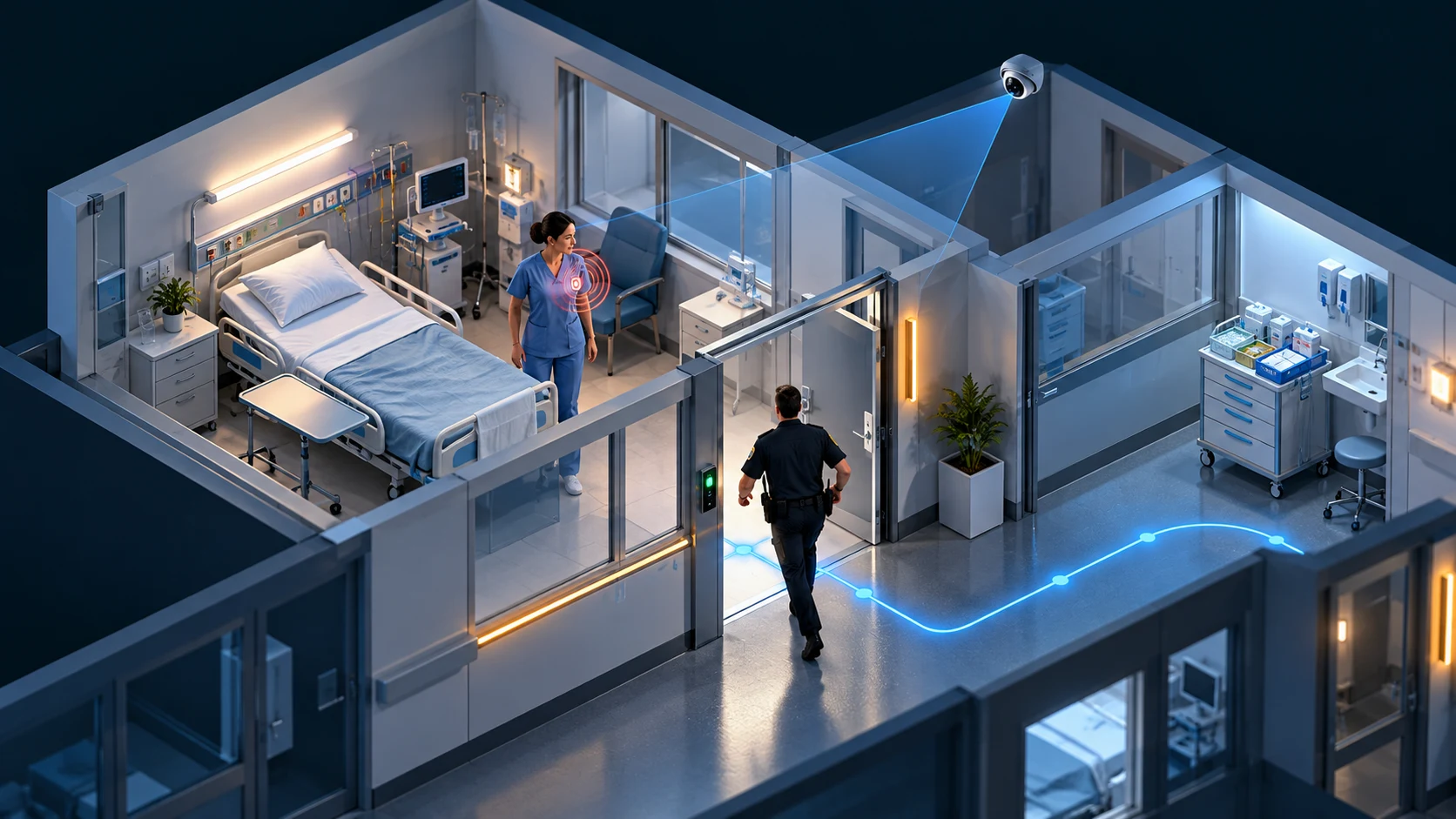
Illustration, not the real user interface
Heavy industrial plants and critical infrastructure
Chemical plants, manufacturing facilities, mining operations, and utility sites present harsh physical risks. Lone workers perform maintenance near heavy machinery, high-voltage lines, and confined chemical tanks.
Standard access cards record the worker entering the site turnstile at 07:00. If that worker collapses due to heat stress or chemical exposure at 09:30, the access system offers zero visibility.
An integrated Traxmate badge features built-in man-down motion sensors and panic triggers.
If a technician remains motionless on a tank catwalk for more than 60 seconds, the badge issues an automated alert. Traxmate flags the exact floor level and catwalk coordinates, checks which access gates lead to that section, and directs safety officers straight to the worker.
During facility-wide evacuations, safety managers monitor real-time muster zones, seeing who has reached the assembly points and who is still trapped inside building sectors.

Illustration, not the real user interface
Multi-building enterprise and educational campuses
Expansive corporate headquarters and university campuses face communication breakdowns during emergencies. Security desks manage dozens of buildings spread across acres of land.
During an active security alert, campus safety officers need to know which students or employees remain inside specific wings.
Traxmate provides unified campus visualization. Operators track staff movements across building exits and outdoor walkways, linking outdoor GPS coordinates with indoor BLE and Wi-Fi tracking. Dispatchers coordinate with local law enforcement by sharing interactive 3D floor plans that display real-time personnel locations and live door access states.
The Business Case
Protecting people, assets, and operational continuity
Reducing medical, legal, and insurance liabilities
Workplace assaults and injuries trigger massive financial liabilities. Preventing a single severe assault saves thousands of dollars in direct medical costs, workers’ compensation claims, and legal defense fees. Demonstrating continuous, room-level duress coverage helps organizations negotiate lower commercial liability insurance premiums.
Protecting capital equipment investments
Facilities that deploy Traxmate for personnel duress gain asset visibility on the same software engine. Tracking high-value portable diagnostic tools, calibration devices, and industrial tools prevents loss, eliminates redundant replacement purchases, and cuts wasted search hours across shifts.
Improving retention and frontline safety morale
Staff turnover is a major expense for hospitals, correctional institutions, and industrial plants. Equipping frontline workers with verified, responsive safety devices that dispatchers can locate anywhere in the facility demonstrates organizational care, improving job satisfaction and reducing costly recruiting cycles.
Privacy by design and regulatory compliance
Tracking people indoors requires strict data privacy controls. European GDPR guidelines, works council agreements, and labor protection laws set strict boundaries around employee surveillance.
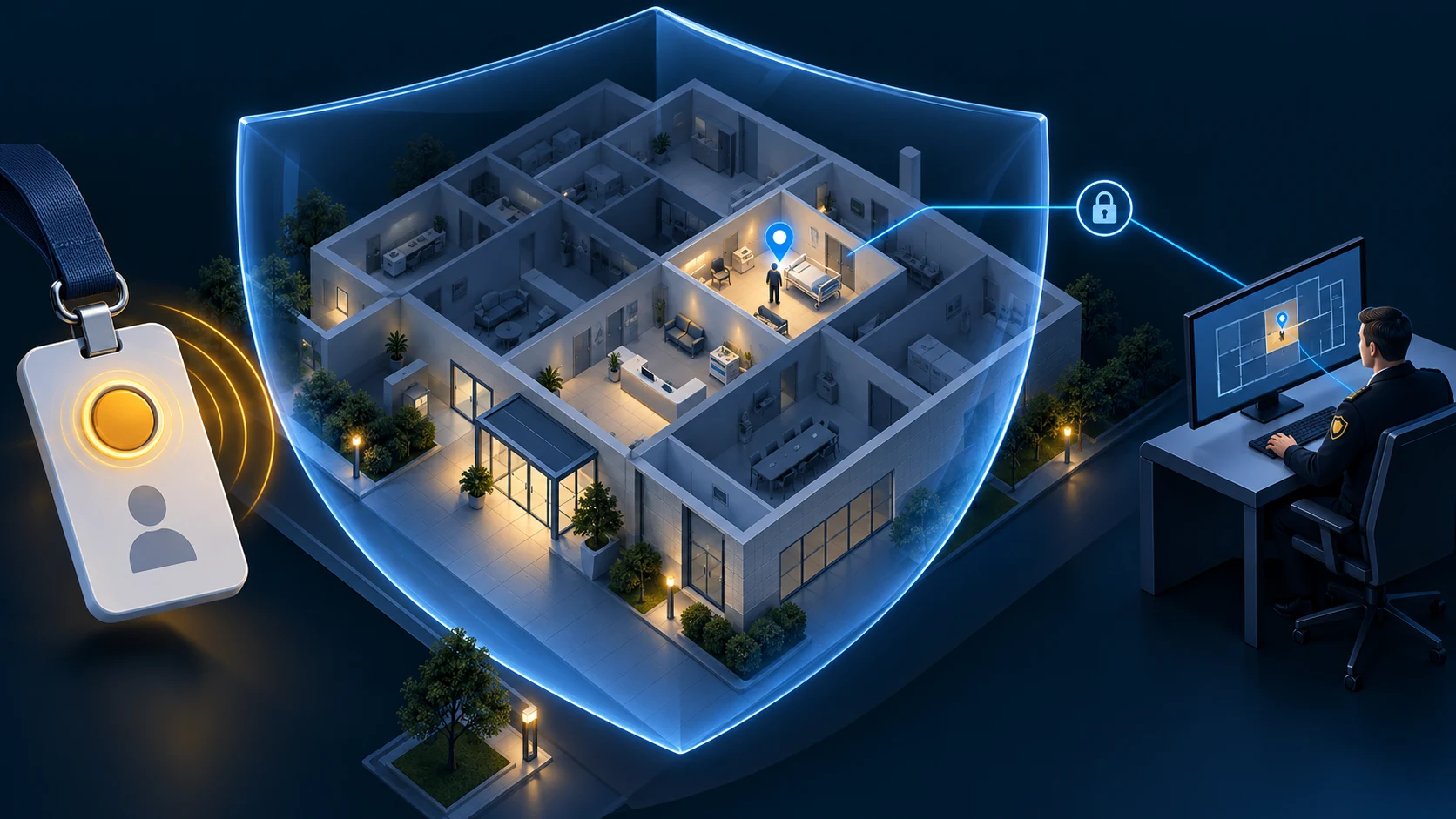
Illustration, not the real user interface
Traxmate is built around privacy-by-design architecture:
- Event-driven location access: Organizations do not need continuous surveillance over every worker. Traxmate can run in emergency-only mode: the badge’s location calculations remain masked or dormant until the user presses the panic button. Outside of an emergency, no tracking coordinates are visible to dispatchers.
- Role-based visibility controls: Access permissions are strictly managed. Standard supervisors cannot log in to watch employee movements. Live coordinates appear only on emergency dispatch consoles during active alarms.
- Automated retention limits: Historical movement paths and coordinate logs are expunged automatically according to your organization’s data retention policy.
- Tamper-proof audit trails: Every time an operator views an active map or accesses historical logs, the system creates an unalterable audit entry, ensuring legal compliance and operational transparency.
Next Steps
Phased deployment playbook
Deploying location intelligence does not require a disruptive overhaul of your existing facility infrastructure. Traxmate uses a structured, phased rollout that proves technical performance and operational utility before scaling site-wide.
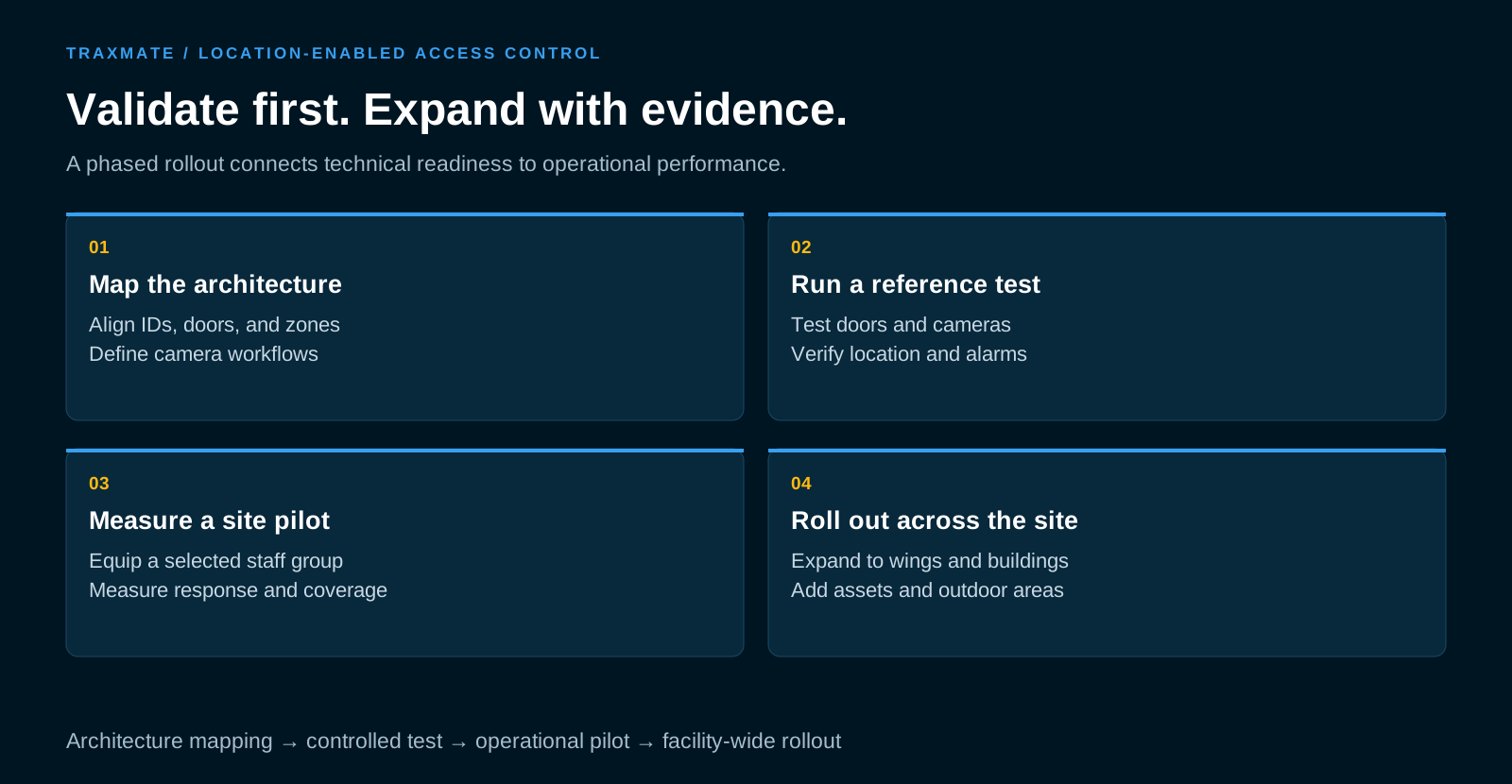
Phase 1: Architecture mapping and data alignment
We begin by reviewing your access control platform, door lock models, and video management network. Our engineers define the data contract: mapping user IDs, door status fields, and camera zones between your access system, Traxmate, and your VMS.
Phase 2: Controlled reference test
Before rolling out across an entire building, we set up a reference deployment covering 1 or 2 floors, 5 to 10 electronic doors (including offline lock models), and 2 to 4 surveillance cameras.
Your security team runs test scenarios to confirm that:
- Badge panic triggers pop the map instantly.
- Door status updates flow without lag.
- Offline doors are clearly flagged as stale on the floor plan.
- Camera switching works reliably in the VMS client.
Phase 3: Site pilot and operational measurement
Equip 50 to 100 frontline staff members with active badges across an active department or high-risk zone.
During the pilot, your team measures strict operational criteria: positioning accuracy, gateway signal coverage, battery longevity over multi-shift rotations, and measurable decreases in dispatcher reaction times.
Phase 4: Facility-wide rollout
With system performance verified, expand the platform across additional wings, campus buildings, and outdoor perimeters. Add asset tracking tags to high-value equipment on the same platform to maximize operational value.
To plan your deployment, contact Traxmate to review your access-control platform, video workflows, site coverage, and pilot goals.
What problem does this solve?
Electronic access control systems verify identity at fixed doors, but they leave security operators blind once someone moves through the entrance.
Traxmate delivers continuous indoor tracking, closing the safety blind spot between doors.
How does Traxmate work with my existing access system?
Traxmate pairs with leading platforms like Salto, Nedap, and LenelS2 via open APIs and event brokers. Your access software manages locks and credentials, while Traxmate provides 2D/3D map positioning, zone rules, and alarm logic.
How does it speed up emergency response?
When an alarm triggers, Traxmate pins the user’s location on an interactive map, displays surrounding door states, and triggers the VMS to pop up the nearest camera feed automatically. Operators see the situation in seconds without switching software tools.
What wireless technology is required?
Traxmate is hardware-agnostic, calculating positions using Bluetooth Low Energy (BLE), Wi-Fi, LoRaWAN, and GPS/cellular for outdoor campus tracking.
What are the primary business benefits?
Faster incident response times, lower injury and liability costs, automated evacuation mustering, and unified asset tracking on a single software platform.
Does Traxmate replace our existing electronic access control software?
No. Traxmate operates alongside your existing access control platform, including enterprise systems from Salto, Nedap, LenelS2, and ASSA ABLOY.
Your access software continues to manage door locks, access groups, schedules, and cardholder credentials, while Traxmate provides real-time indoor positioning and spatial mapping.
How does Traxmate ingest door events and lock status updates?
Traxmate connects to access management software via secure REST APIs, webhooks, and certified partner brokers.
In Salto environments, for example, the system uses the Radinium integration broker to receive real-time SHIP protocol events and webhook notifications directly from SALTO SPACE.
Can operators control incidents inside our Video Management System (VMS)?
Yes. Traxmate integrates into enterprise VMS platforms like Milestone XProtect (via the Milestone MIP SDK) and Genetec Security Center.
Interactive 2D/3D maps and alarm events sit directly inside the operator’s primary monitoring console, triggering automatic camera pop-ups when an alert fires.
How does the system ensure compliance with employee data privacy regulations?
Traxmate is designed to comply with GDPR and employee privacy standards through role-based access, automated coordinate purging, and event-driven tracking modes.
In event-driven mode, an employee’s live location is masked until they trigger an active duress button on their badge.
What hardware is needed to upgrade a badge for real-time tracking?
Personnel wear compact, battery-efficient active badges or smart tags that broadcast BLE, LoRaWAN, or Wi-Fi telemetry alongside standard RFID/NFC door access chips.
Traxmate’s positioning engine processes these wireless signals across existing gateways to calculate room-level accuracy without requiring new cabling to every door.