
Most employees are uncomfortable with constant workplace monitoring.
When security personnel or utility technicians receive active tracking badges, they often assume management intends to monitor their breaks, time spent in vehicles, and daily activities in detail.
Employees may attempt to turn off tracking by wrapping badges in foil, leaving them on charging docks, or intentionally misplacing them.
These actions create safety blind spots. In emergencies, such as a worker losing consciousness in a vault or a guard facing an assault, their location may be unknown.
Excessive surveillance undermines the effectiveness of safety tools.
To address this, privacy-first safety systems should secure location data and only access it during verified incidents. The focus should be on tracking emergency events, not individual employees.
Key Takeaways
Does an event-driven safety badge log my movements during lunch or bathroom breaks?
How does an inactivity alarm avoid false alarms when someone is sitting still?
Can managers use Milestone XProtect to review where I walked yesterday?
What happens if a worker triggers a panic alarm inside an area with a privacy mask?
Why not just use a smartphone app for lone worker safety?
The impact of surveillance on field operations
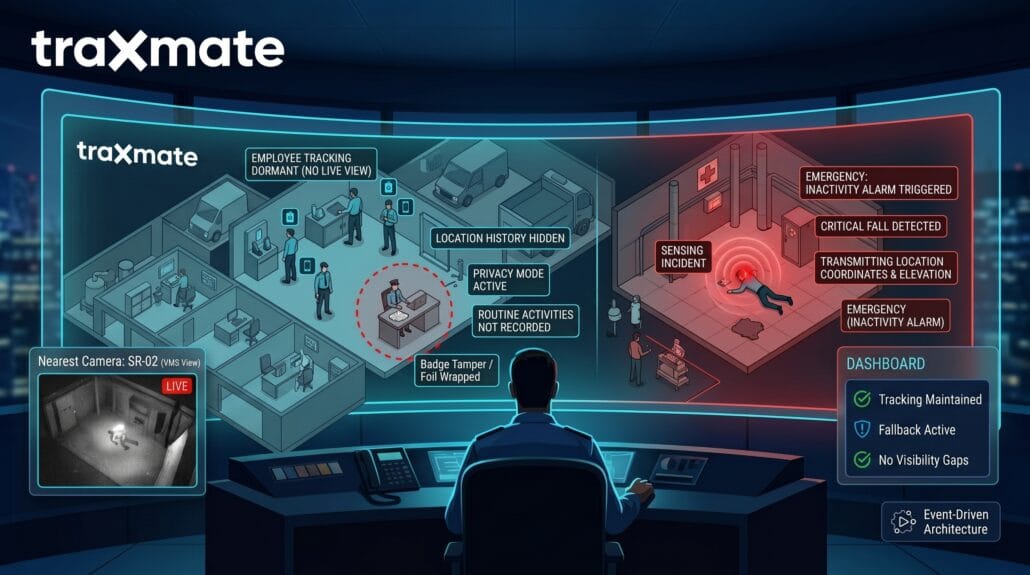
Field staff work under an umbrella of passive surveillance: fixed security cameras, automated license plate readers, and connected facility hardware.
Introducing real-time worker tracking can be intrusive. When employees believe every movement is recorded, they may become less proactive, adhere strictly to routines, and try to bypass monitoring systems.
The Center for Economic and Policy Research workplace surveillance report examines how continuous tracking creates workplace friction and degrades operational performance.
Legal investigation of worker tracking is increasing. European works councils and US labor arbitrations are examining these practices more closely. Recording personal activities, such as lunch locations, may expose organizations to regulatory risks under GDPR and local employment laws.
It is necessary to establish a clear distinction between facility surveillance and personal employee tracking.
Building event-driven tracking architectures
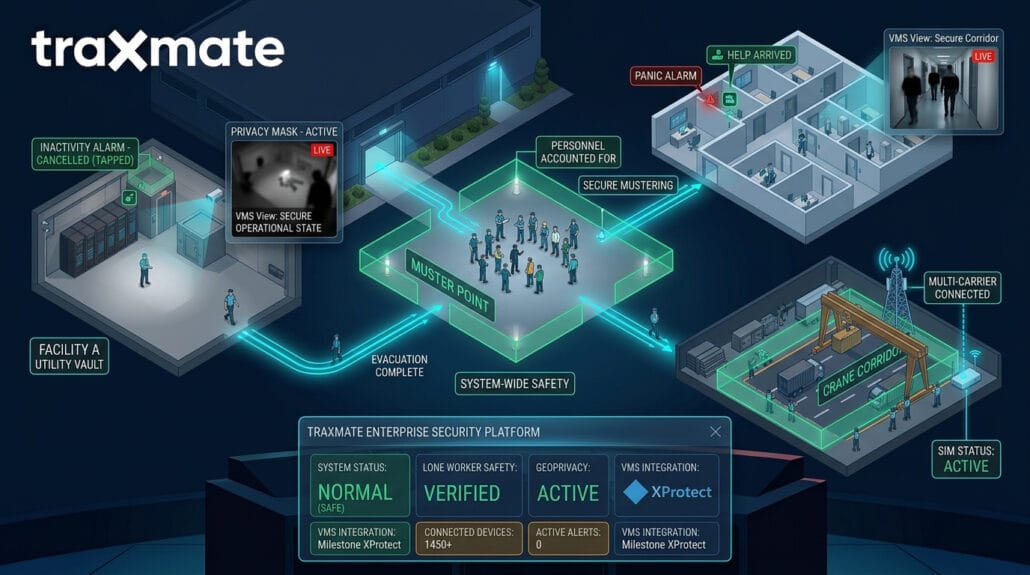
Continuous tracking sends location updates to a central server at regular intervals, creating a detailed movement history.
Event-driven and privacy-first safety tracking minimizes transmissions. Devices remain in a local listening state, do not record historical location data, and process information locally on edge hardware.
The device only establishes an active connection to your security platform when a verified safety event occurs:
- A worker presses a physical panic button.
- An onboard accelerometer detects a fall, followed by total inactivity, within a defined window.
- A worker enters an armed, high-risk geofence perimeter.
The Milestone Systems line-crossing analytics guide illustrates how edge-based event detection turns raw sensor triggers into actionable incidents without regular manual oversight.
Until an event is triggered, the worker’s exact location is not displayed on the dispatcher’s live map.
How Milestone XProtect handles targeted location data
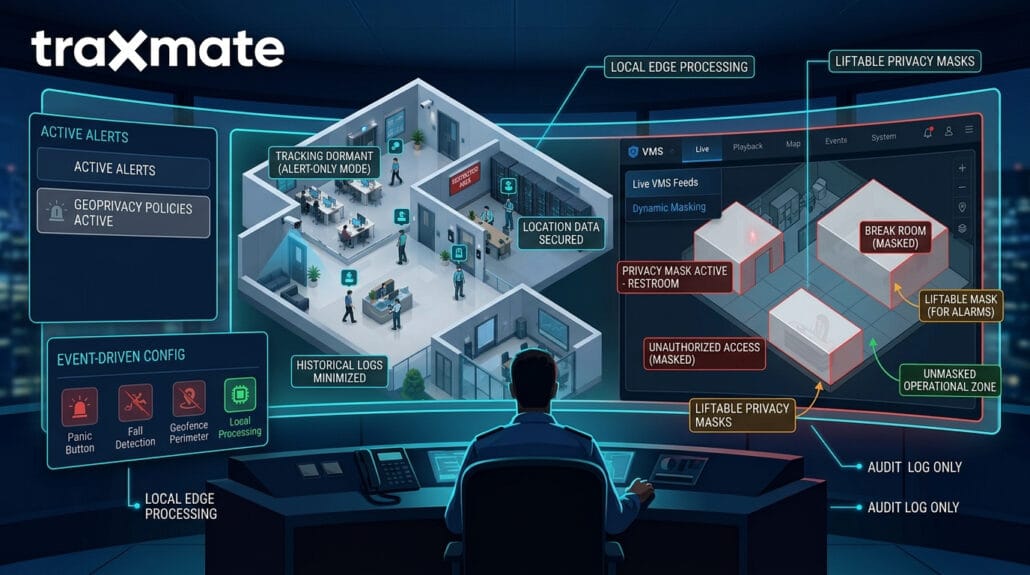
Video Management Software (VMS) serves as the brain for physical security operations.
In classic setups, operators monitor multiple live camera feeds. Integrating personal tracking badges, body-worn cameras, and fixed video systems with Milestone XProtect requires careful configuration of user permissions and metadata streams to protect staff privacy.
Milestone XProtect uses an open platform architecture that ingests metadata from Traxmate and can withhold live location data from the Milestone Smart Client map. Dispatchers see only that a badge is active, without access to precise movement details.
When an alarm state triggers, the system shifts:
- The edge tracker broadcasts an emergency alert payload containing current coordinates and floor elevation.
- The Milestone Event Server receives the alarm and plots the worker on the facility map.
- XProtect automatically pulls up the video feeds for the fixed cameras immediately surrounding the worker’s coordinates.
This approach delivers dispatchers with the necessary information to coordinate assistance without continuous monitoring of staff.
Privacy masking and dynamic redaction in video streams
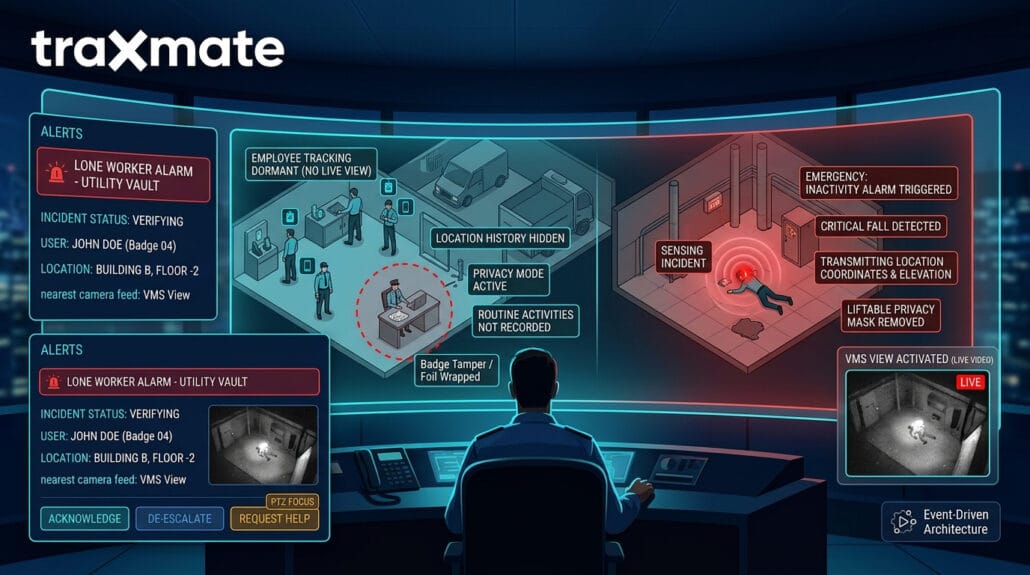
Fixed cameras record employees, visitors, and contractors as they perform their respective activities.
Milestone XProtect includes native privacy masking tools to prevent intrusive monitoring. Administrators can paint solid or blurred masks over specific zones in a camera’s field of view.
The Milestone XProtect privacy masking documentation outlines how to set permanent or liftable privacy zones.
Permanent masks black out areas like employee breakrooms, restrooms, locker room entrances, and neighboring private properties. Those pixels never get recorded to the server storage array.
Liftable masks obscure sensitive operational areas during routine monitoring. In the event of an emergency alarm within a masked zone, an authorized supervisor can use dual authentication to remove the mask and coordinate the emergency response.
When exporting footage after an incident, operators apply video redaction to obscure the faces of uninvolved coworkers and bystanders before sharing files with outside agencies or insurers.
Body-worn cameras without the panopticon feel
Body-worn cameras (BWCs) are becoming standard equipment for security teams, but continuous recording can create concerns among staff.
Security personnel may be concerned that supervisors could review footage to identify minor infractions or monitor private conversations.
Modern body cameras use strict local buffering protocols. Devices such as Axis body-worn cameras do not stream continuous live video to central servers; instead, they operate in a local pre-buffer mode.
The Axis Communications Optimizer for Milestone XProtect guide details how body-worn systems handle secure local storage, AES256 encryption, and controlled evidence offloading.
The camera only commits footage to permanent flash memory when the guard taps the recording button or an integrated panic event triggers the recording automatically. Access to this video is restricted by role-based access control (RBAC), preventing unauthorized viewing.
Zone-based geofencing for hazardous operations
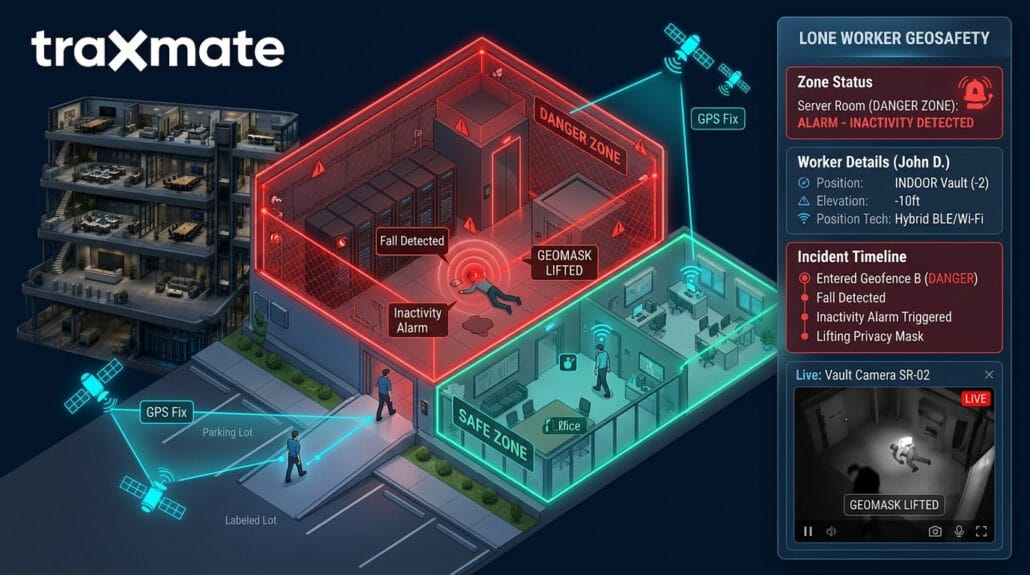
Field personnel often transition between administrative offices and high-risk operational zones.
Applying identical tracking rules to all environments is ineffective. Desk-based work does not require location tracking, whereas high-risk areas such as train yards or substations require precise safety monitoring.
Geofencing solves this problem. Site administrators draw virtual perimeters around hazardous areas within their positioning platform.
Outside the geofenced area, tracking devices operate in low-power mode, registering presence on the network without transmitting location data.
When the worker steps across the virtual perimeter into the hazardous zone:
- The system changes its tracking profile.
- The device arms its fall-detection and inactivity sensors.
- Periodic location beacons begin updating the security map to ensure immediate response if an accident occurs.
When the worker leaves the geofenced area and returns to standard zones, the tracking system automatically deactivates and reverts to privacy mode.
Solving the indoor-outdoor location transition
GPS functions reliably outdoors, but satellite signals are often lost inside structures such as warehouses, parking garages, or basements.
If a lone worker activates a panic alarm indoors, standard GPS trackers may provide inaccurate location data, delaying emergency response.
Hybrid tracking architectures switch positioning technologies based on the physical environment:
- Outdoors: GNSS and cellular cell tower signals.
- Indoors: Wi-Fi access points and Bluetooth Low Energy (BLE) beacons.
The Traxmate platform converts flat, two-dimensional floor plans into 3D digital twins. When a panic or inactivity alarm fires inside a building, the tracking engine calculates the worker’s vertical elevation (floor) alongside their horizontal location.
That 3D coordinate passes directly into Milestone XProtect. The dispatcher sees the precise floor, room number, and nearest exit corridor on their site layout, alongside the nearest available camera views.
Network connectivity and device reliability
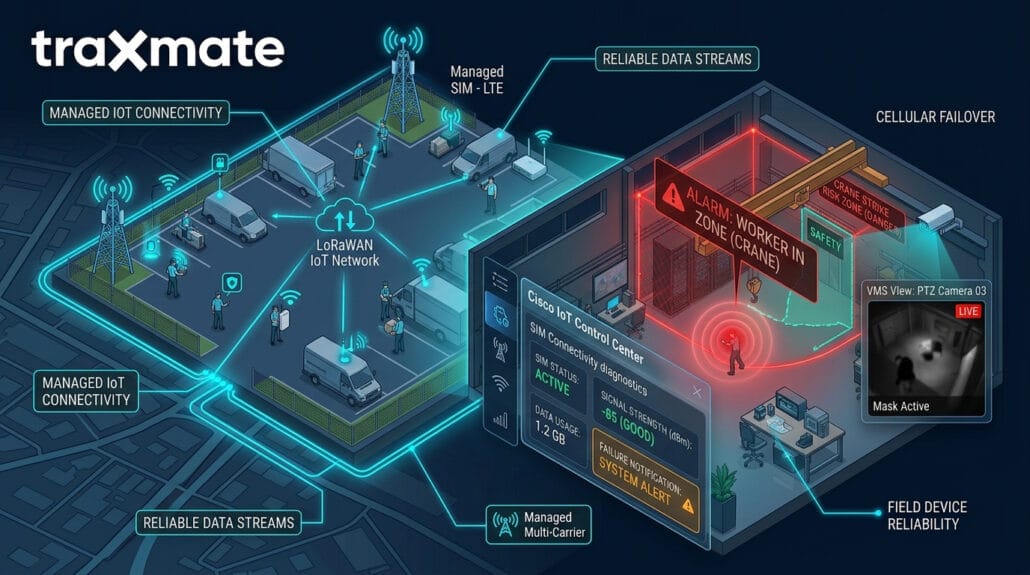
A safety alarm is ineffective if the device cannot communicate with the server.
Field technicians in isolated or reinforced locations may experience network dead zones. Privacy-focused safety systems require reliable hardware and connectivity solutions that provide clear failure notifications.
For wide-area fieldwork, managed multi-carrier cellular SIMs allow devices to hop between carriers’ towers when signal strength dips. Fleet managers deploy platforms such as Cisco IoT Control Center to monitor SIM diagnostic data, data usage, and network registration states without snooping into individual workers’ activities.
The Cisco IoT Control Center platform details explain how automated connection monitoring keeps remote IoT devices connected across global networks.
For private facilities, low-power wide-area networks like Semtech LoRaWAN provide long-range indoor and outdoor coverage with minimal infrastructure costs.